Features
From the vineyard. Through the cellar. Into your business.
Every part of CellarFlo, in 15 areas. Core tools are included across plans. Estate+ means Estate and above. Add-ons are labelled.
Vineyard & harvest
Bring fruit decisions into the same view as your winery.
- Growers, vineyards & blocksKeep fruit origins and growing sites organised.
- Maturity samplingRecord Baumé/Brix, pH, TA and berry or bunch weights.
- Maturity charts & target estimatesFollow ripening trends and estimate when fruit reaches your target.
- Harvest PlannerSchedule picks, move dates and track planned and actual tonnes.
- Pick status & intake linksConnect harvest plans with the fruit received at the winery.
Fruit & bulk wine intake
Start every wine with a clear, connected record.
- Fruit intake & weighbridge docketsCapture delivery, origin, weights, pricing and analysis together.
- Bulk wine intakeBring purchased or transferred wine into your production records.
- Multi-bin weighing & tare templatesRecord individual bin weights using reusable bin types and tares.
- Intake photos & supporting recordsKeep delivery evidence alongside the intake.
- Scheduled intakesPrepare for arrivals and organise upcoming fruit deliveries.
- Crush, press fractions & destinationsConnect processing outcomes to the batches and vessels they create.
- Docket exportsShare delivery records in PDF or Excel.
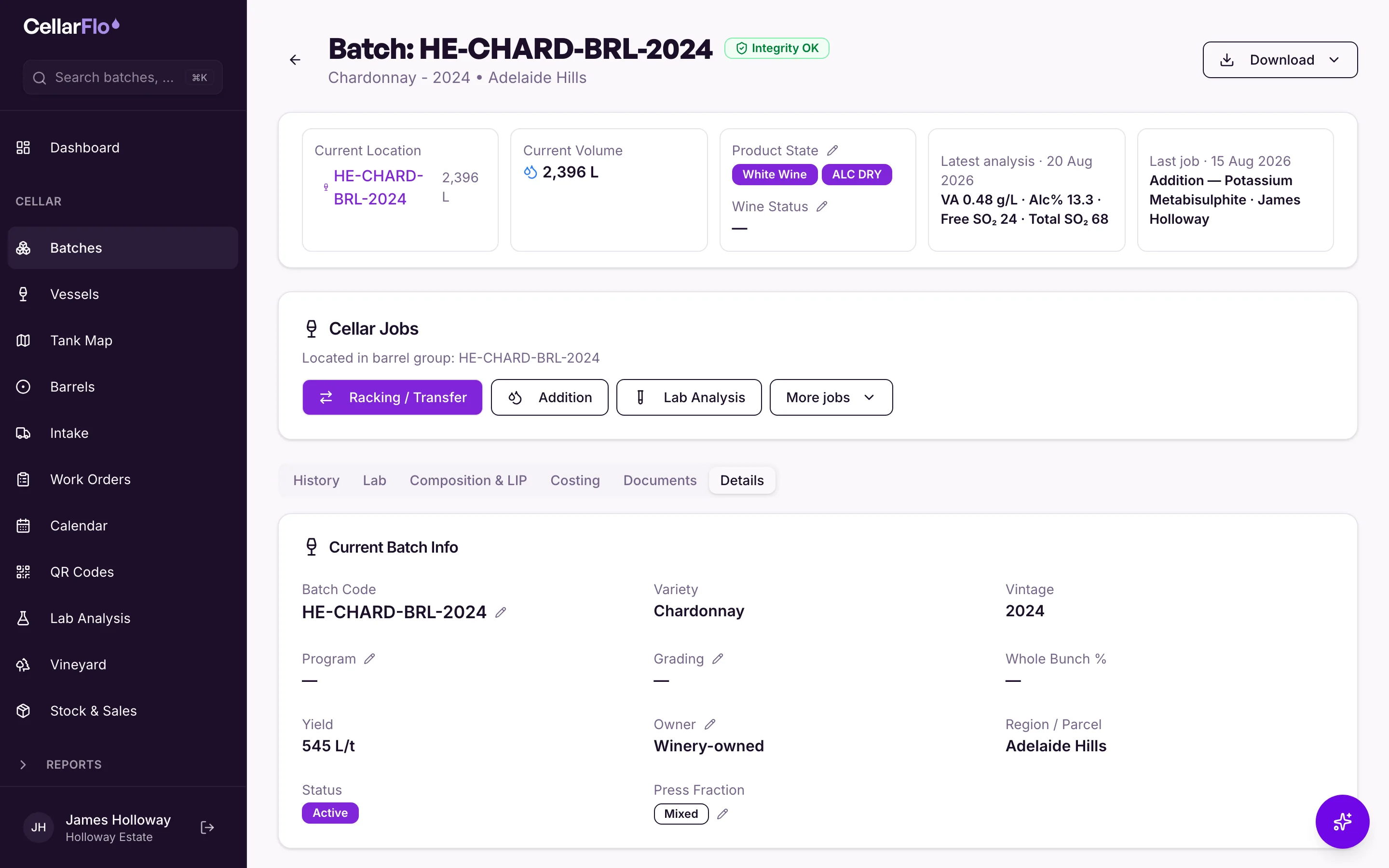
Tanks, vessels & barrels
Know what is where, how much is there and what is ready next.
- Interactive Tank MapArrange your cellar layout and see vessel types, contents and fill levels.
- Vessel ExplorerFind tanks and containers in list or card views with useful filters.
- Capacity, contents & cleaning statusSee available space and the recorded condition of each vessel.
- Barrel registerKeep cooperage, oak, toast, age and barrel identity together.
- Barrel groups & subgroupsOrganise barrels around the way you manage your wine.
- Barrel fill history & oak exposureFollow previous contents and the oak supporting each wine.
- Barrel transfers, topping & emptyingTrack wine between individual barrels, groups and tanks.
- Multiple winery facilitiesOrganise vessels and barrels across your winery sites.
Additional Facility add-on
Cellar jobs & blending
Carry the wine’s story through every cellar decision.
- Additions & treatmentsRecord products, quantities and treatment details against the wine.
- Racking & transfersFollow movements, destinations and recorded losses.
- Pressing & saignéeTrack press fractions and saignée through production.
- FiltrationKeep filtration work connected to the affected wine.
- Pump oversPlan and record ferment management tasks.
- ToppingTrack top-up wine and its contribution to the receiving wine.
- Dip & volume checksRecord measured volumes and explain adjustments.
- Cleaning jobsMaintain cleaning records for vessels and barrel groups.
- Bench blend calculatorCompare blend options side by side: proportions, projected analysis, composition and costing.
- Winning blend to Work OrderTurn the chosen bench blend into planned cellar work.
- Losses, yields & reasonsUnderstand where wine volume changes across production.
- Backdated entries & correction historyKeep the event date, source record and subsequent changes traceable.
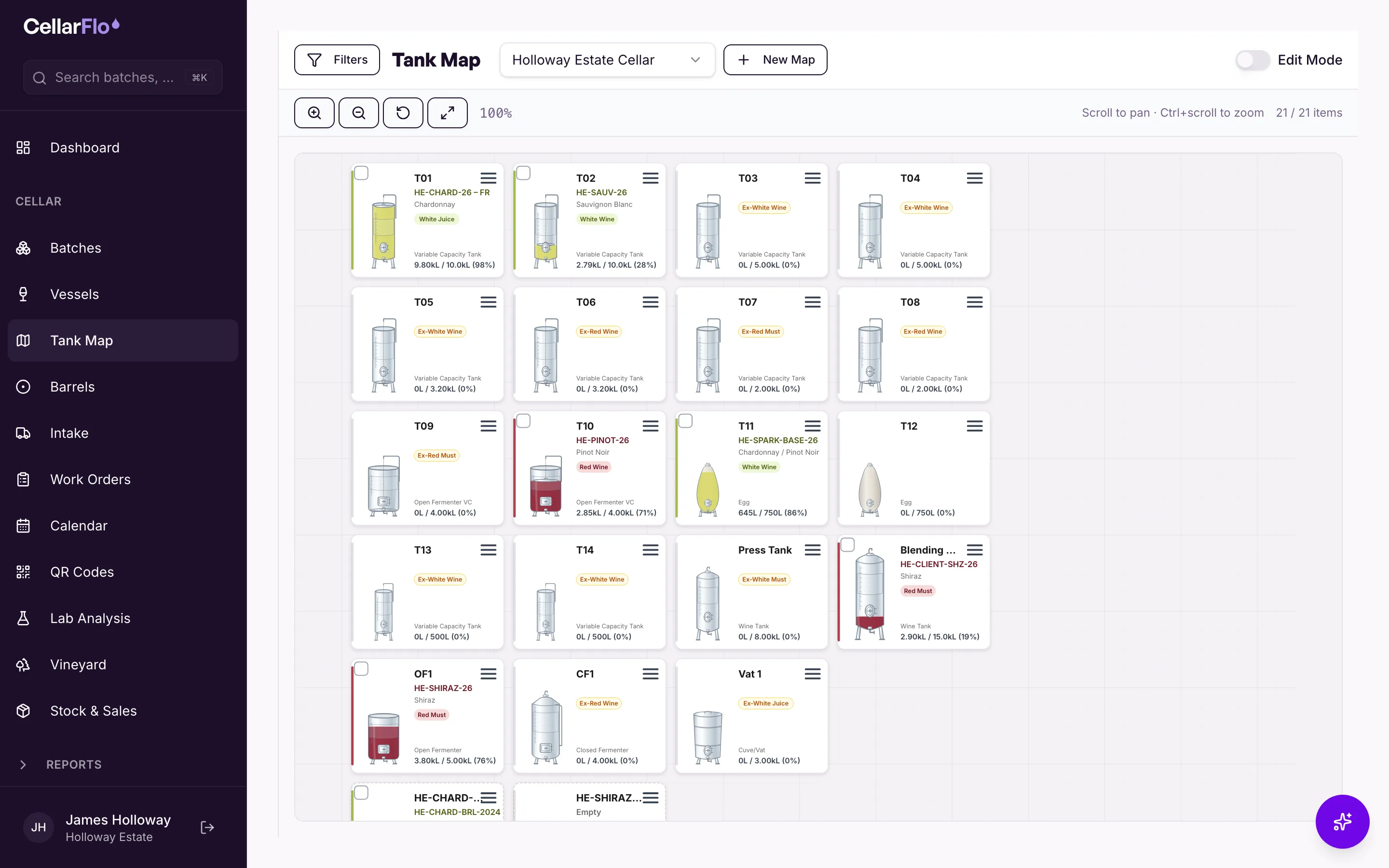
Work Orders & daily planning
Give your team a clear plan and a shared record of the work.
- Multi-job Work OrdersBring connected cellar jobs into one organised run of work.
- Templates & standard tasksReuse familiar instructions and recurring workflows.
- Operator assignments & job sequencingMake responsibilities and the order of work clear.
- Progress, submission & sign-offFollow work from planning through completion and winemaker review.
- Printable Work OrdersTake vessel, barrel and job instructions onto the cellar floor.
- Labour time & ratesConnect recorded work with its labour cost.
- Calendar & calendar subscriptionSee scheduled work and subscribe from your calendar app.
Estate+
Lab analysis & fermentation
See how your wines are progressing and where to focus.
- Wine analysis recordsBring pH, TA, SO₂, alcohol, malic acid, sugar and other results together.
- Custom metrics, templates & thresholdsShape your lab records around your own testing routines.
- Multi-batch analysis gridReview and enter results across wines in one view.
- Lab trend chartsFollow results over time for batches, vessels and vineyard samples.
- Alcoholic & malolactic fermentation monitoringFollow ALC and MLF progress with dashboard indicators and alerts.
- Analysis day sheets & ferment exportsPrepare sampling work and share fermentation records.
Sparkling wine production
Follow traditional-method sparkling from tirage to finished wine.
- Tirage batches & bottles on leesTrack sparkling batches, bottle quantities and time on lees.
- Disgorgement planningSee earliest disgorgement dates and organise the next production step.
- Riddling & breakage recordsKeep intermediate activity and bottle losses in the batch history.
- Disgorgement & dosageRecord dosage wine, other dosage ingredients and finished output.
- Vintage & non-vintage finished winesCarry composition and production lineage into the finished batch.
- Sparkling analysis, materials & costsConnect lab results, dry goods and production costs to the wine.
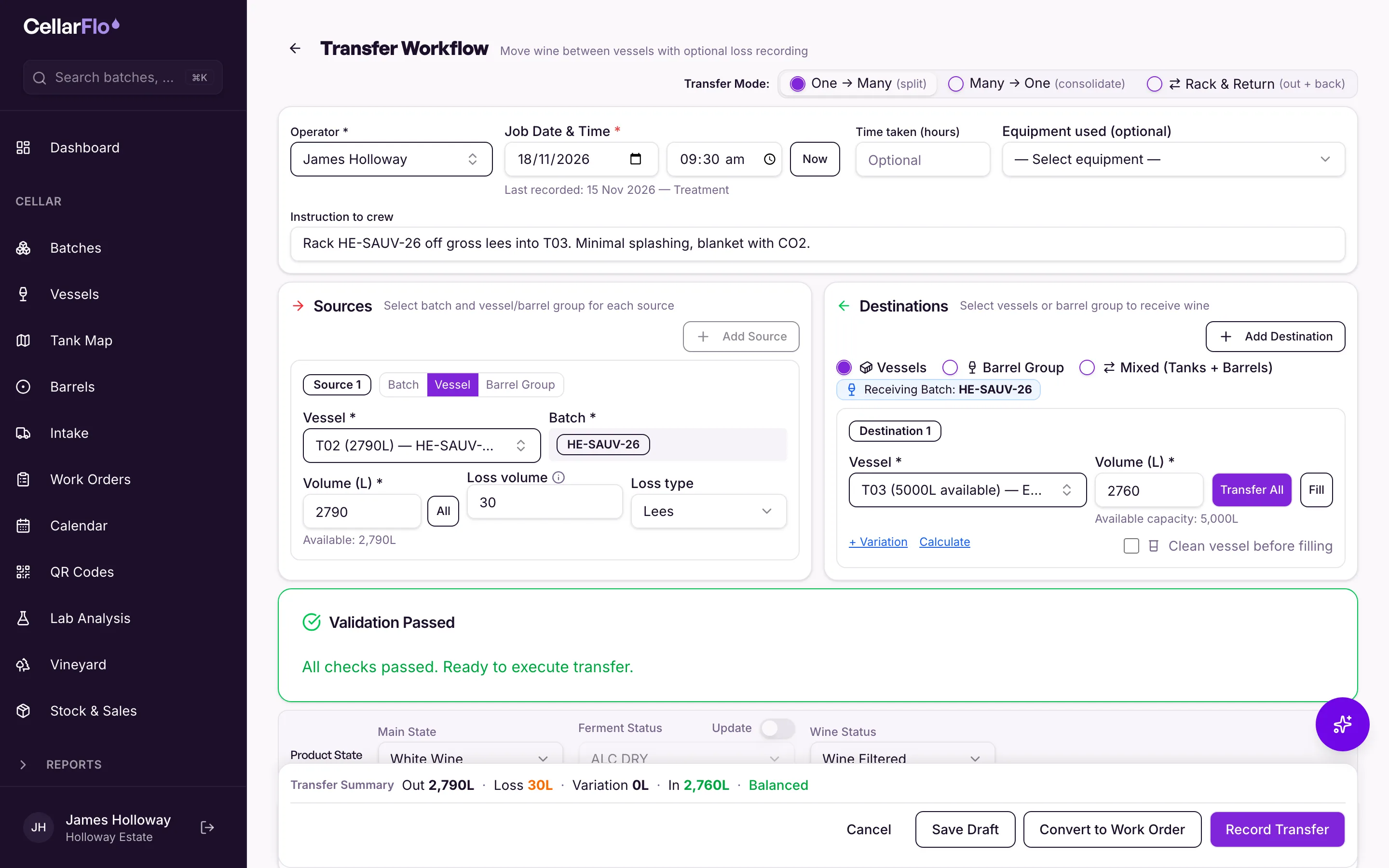
Packaging, stock & sales
Connect the wine you make with the stock you hold and sell.
- Bottling & packaging runsLink packaged output to the bulk wine and production history.
- Bulk wine dispatch & dispatch notesRecord wine leaving the winery with supporting documents.
- Products, SKUs & pack formatsOrganise finished products, bottle sizes, case configurations and pallet quantities.
Estate+ - Dry goods & bills of materialsRecord dry-goods receipts, suppliers and usage, with packaging bills of materials.
Estate+ - Warehouse stock & movementsSee stock on hand by warehouse and follow recorded stock movements.
Estate+ - Stocktakes & adjustmentsReconcile physical counts with recorded stock and retain reasons.
Estate+ - Dry-goods alerts & stock valuationPlan dry-goods replenishment and see the recorded value of finished stock.
Estate+ - Sales orders, dispatch & customer returnsConnect orders and returns with stock movements and batches.
Estate+ - Customers, channels & price listsOrganise buyers and pricing for the way you sell.
Estate+ - Sales & gross-profit reportingExplore recorded sales and costs by customer, channel, SKU and variety.
Estate+
Wine costing & business visibility
Understand the cost behind each wine and every litre.
- Fruit, additive, oak & labour costsSee the main production cost categories together.
- Total known cost & cost per litrePut batch costs in the context of the current wine volume.
- Supporting cost detailFollow cost lines back to the activity or input behind them.
- Barrel-fill costingAttribute oak cost across barrel fills.
- Costs through wine movements & blendsFollow cost contributions as wines move and combine.
- Cost reports & Excel exportsTake batch cost detail into business discussions and further analysis.
- Dashboards & production analyticsBring activity, stock, losses and yields into a clearer operating view.
Contract winemaking
Keep client wine, costs and communication connected.
Contract Winemaking add-on- Contract clients & wine ownershipDistinguish client-owned wine throughout your cellar records.
- Ownership filters & allocationsFocus on each owner’s wine, vessels and barrels.
- Costing by ownershipAssociate production costs with the relevant client wine.
- Billable activity & monthly exportsPrepare client billing from recorded work and cost events.
- Client portalGive clients a dedicated view of their wine and available reports.
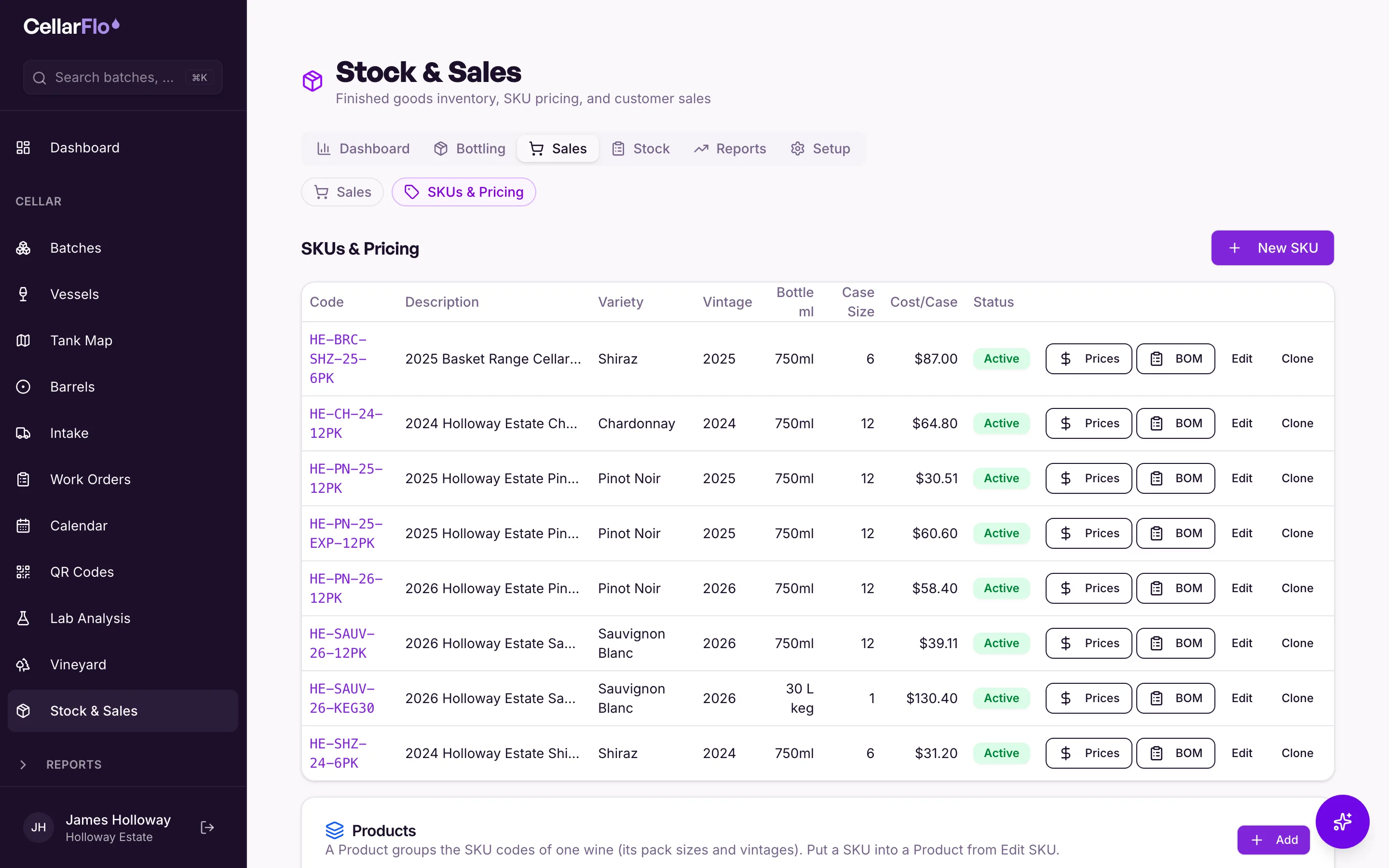
Traceability & label integrity
Keep origins, movements and supporting evidence connected.
- Vintage, variety & region compositionFollow the contributions that support a wine’s identity.
- Label integrity readiness & snapshotsReview recorded composition and required information.
- Label Integrity StatementsPrepare PDF or Word statements from your wine records.
- Wine history & batch traceabilityFollow connected intake, movement, blend and packaging records.
- Product RecallTrace backwards and forwards through recorded production, with sales links where used.
- Compliance registersReview additions, movements, packaging and stock records, downloadable as CSV, Excel or PDF.
- Original records & audit historyKeep source evidence, attribution and changes available for review.
Procedures, equipment & audit preparation
Make everyday standards easier to organise and demonstrate.
- SOP library & job attachmentsKeep procedures close to the work they support.
- Compliance tasks & recurring templatesOrganise responsibilities, due dates and completion records.
- Equipment register & usageConnect equipment with the jobs and wines it supports.
- Maintenance, servicing & calibration logsTrack equipment care, costs and next-due dates.
- SWA audit preparationUse recorded winery information to help prepare audit worksheets and exports.
Estate+
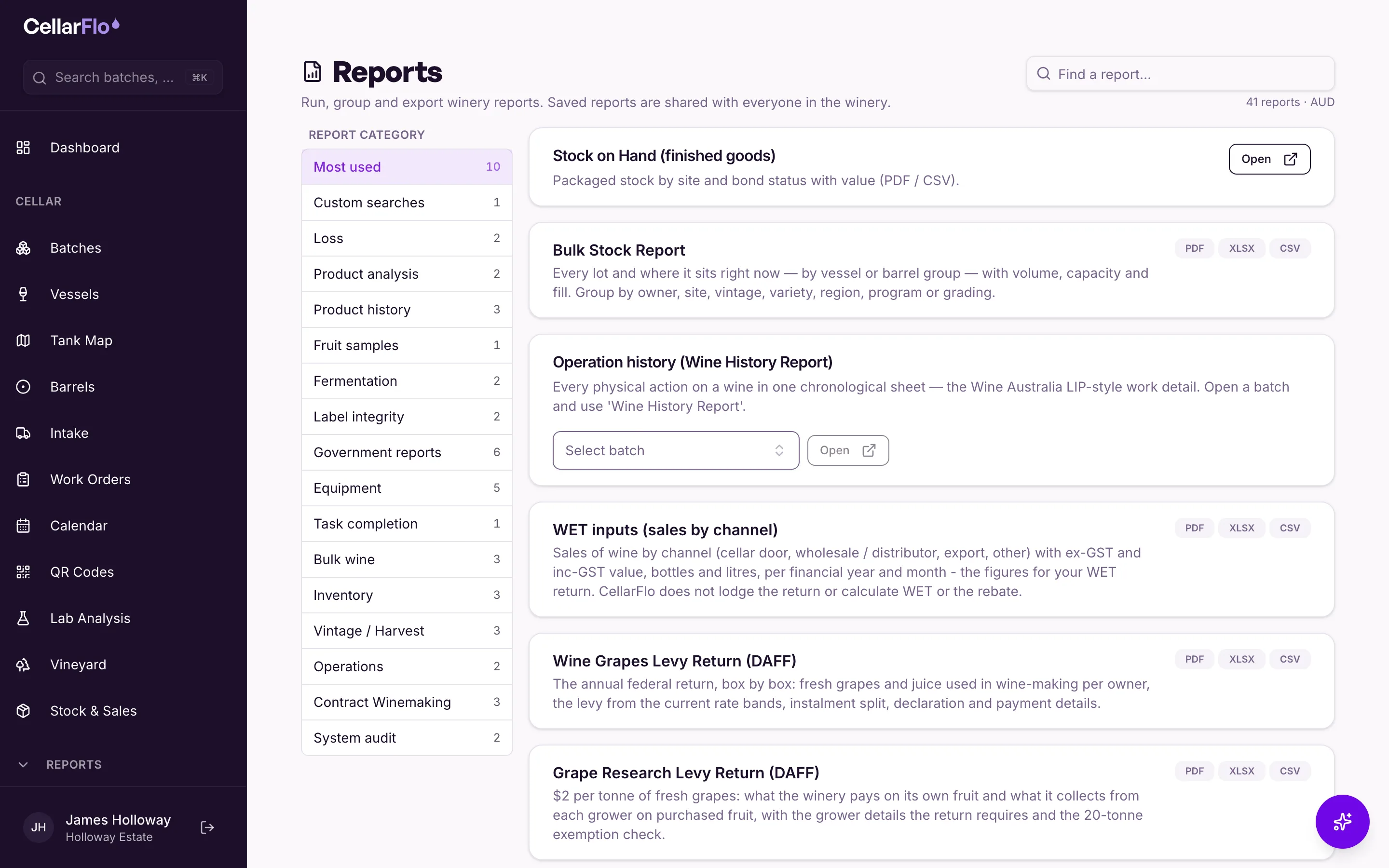
Reports & exports
Turn winery records into useful working documents.
- Reports hub & saved bulk wine searchesChoose filters, columns and groupings, then save useful searches for your winery.
- Bulk Stock ReportReview wine volumes, locations and capacity.
- Grape Delivery ReportBring delivery weights, origin, analysis and price details together.
- Crush / Extraction ReportCompare tonnes received with litres and fractions produced.
- Operations Register & Wine History ReportReview cellar activity and the history of individual wines.
- Additions RegisterReview treatments, products, rates and quantities by period or wine.
- Stock Movement & Wine Production Loss reportsReview volume movement, balances and recorded loss causes.
- Tank History & Current Barrel ExposureReview vessel history and the oak surrounding your wine.
- Analysis Day Sheet, Sample Day Sheet & Ferment ExportPrepare lab and vineyard sampling and share ferment readings.
- Lab Trend Chart exportsShare changes in analysis over time.
- Equipment Usage & Maintenance Log reportsReview work, servicing, repairs and calibration records.
- Task Completion reportReview task ownership, completion and timing.
- Audit Log & User Transaction AuditReview recorded changes and user activity.
- Wine Grapes & Grape Research Levy returnsPrepare Australian levy reporting from recorded intake information.
- PIRSA fund, WA APC & regional grower charge reportsPrepare relevant state and regional reporting inputs.
- NZW Winegrape & Grape Wine Levy returnsPrepare New Zealand levy reporting inputs.
- Stock-on-hand & valuation reportReview finished stock quantities and recorded value.
Estate+ - WET inputs: sales by channelOrganise sales figures by channel and period for your tax reporting workflow.
Estate+
Team, setup & everyday access
Make CellarFlo fit the people and routines in your winery.
- Guided setup & onboardingWork through winery setup with a clear sequence and readiness checks.
- Import templates & validationBring existing records in with structured imports and validation.
- Record exports & winery archiveDownload your winery records for your own use.
- Team invitations & role permissionsGive people access appropriate to their responsibilities.
- Winery configuration & reference listsManage operators, suppliers, businesses, transport, additives and working defaults.
- Australian & New Zealand region listsKeep geographical information aligned with your winery’s setup.
- QR labels & quick actionsOpen relevant wine, vessel or barrel records from a scanned label.
- Search & responsive screensFind records and access your winery from desktop or mobile.
- AI AssistantAsk about your wine, locations and volumes, get workflow guidance, and generate stock, additions, intake, costing and lab reports with CSV and PDF downloads.
- AI MaxAdd a higher monthly question allowance as your use grows.
Optional add-on
Connected business tools
Bring production, accounting and sales workflows closer together.
Estate+- Xero, MYOB & QuickBooksConnect your accounting platform to supported invoice and stock workflows.
- Invoice import, matching & dispatchMatch accounting invoice lines to customers and products, then approve to a Confirmed order, ready to dispatch.
- Contract billing to draft invoicesSend recorded client billing to your connected accounting platform.
Estate+ · Contract Winemaking add-on - Commerce7 ordersImport paid orders from your Commerce7 store, match customers and products, then approve to a Confirmed order, ready to dispatch.
- TankNet & VinWizardConnect CellarFlo to the tank monitoring and control system your winery already runs.
- FOSSConnect your FOSS wine analyser to your lab records.
- Read-only APIConnect your own reporting tools to batch, vessel and costing data.


Xero, MYOB and QuickBooks are trademarks of their owners.
See your winery’s next chapter.
Explore the possibilities in a preloaded winery.