Winery Migration
Switching to CellarFlo.
Moving from another winery system, spreadsheets or paper and whiteboard records? We bring your winery across for you, as it stands on the day you switch.
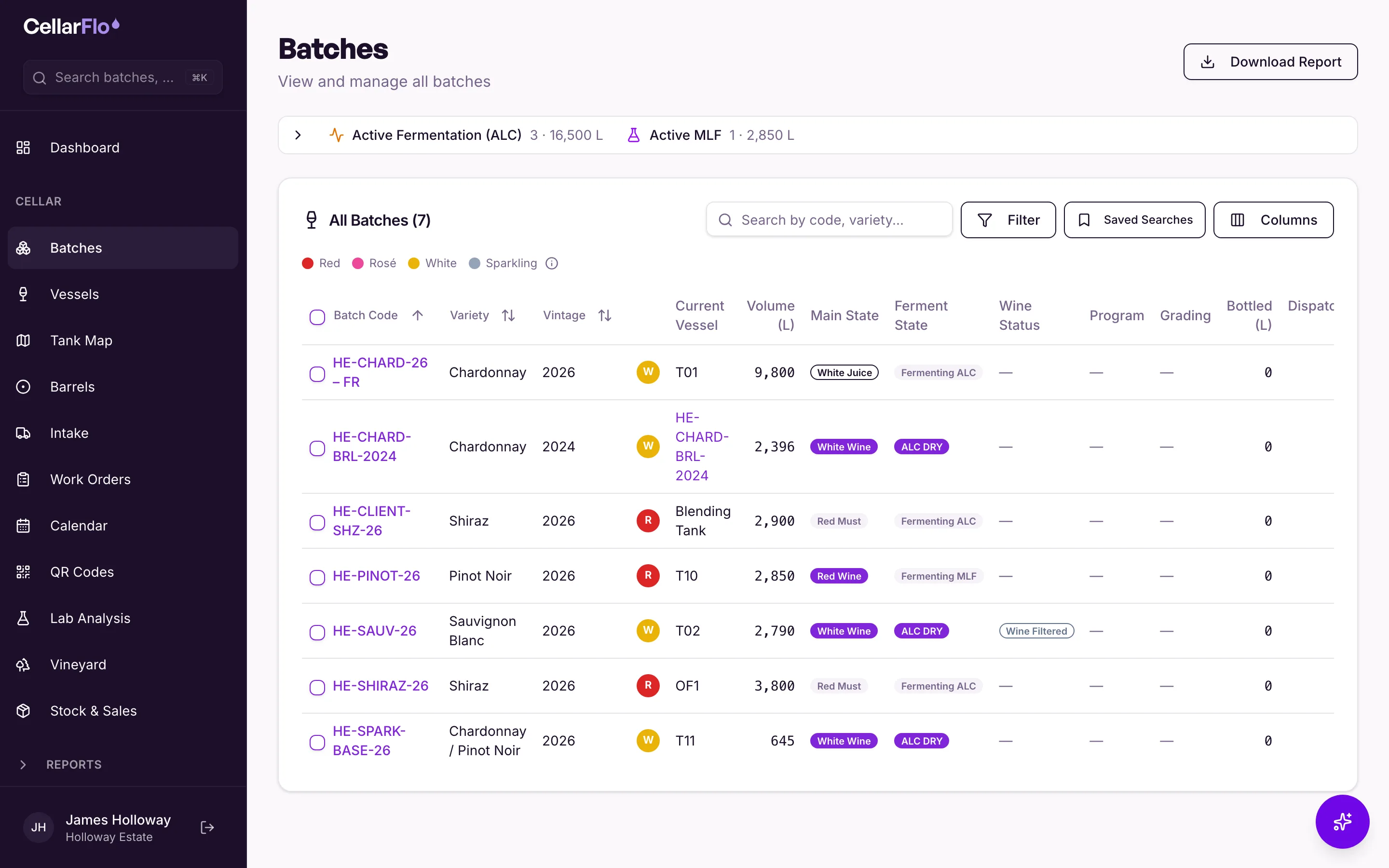
How it works
Three steps to your switch-over.
1. What you send us
Your records as they are: an export from your current system, your spreadsheets, or photos of your paper and whiteboard. We agree a switch-over date with you.
2. What comes across
Your winery’s position on that date: the wine in every tank and barrel, with its variety, vintage, region and carried cost, and your lists of growers, vineyards, tanks, barrels and additives.
3. What happens on switch-over day
We sit down with you. You check the files and press Import yourself, so your own name is on the opening records. The session is also your training session.
Nothing guessed
If a fact is missing, we ask.
Every fact comes from your records or from you. When something is missing, such as a wine’s vintage or a barrel’s litres, we ask you for it. We never fill it in.
A wine waiting on an answer stays out until you give it, so nothing on your records is a guess.
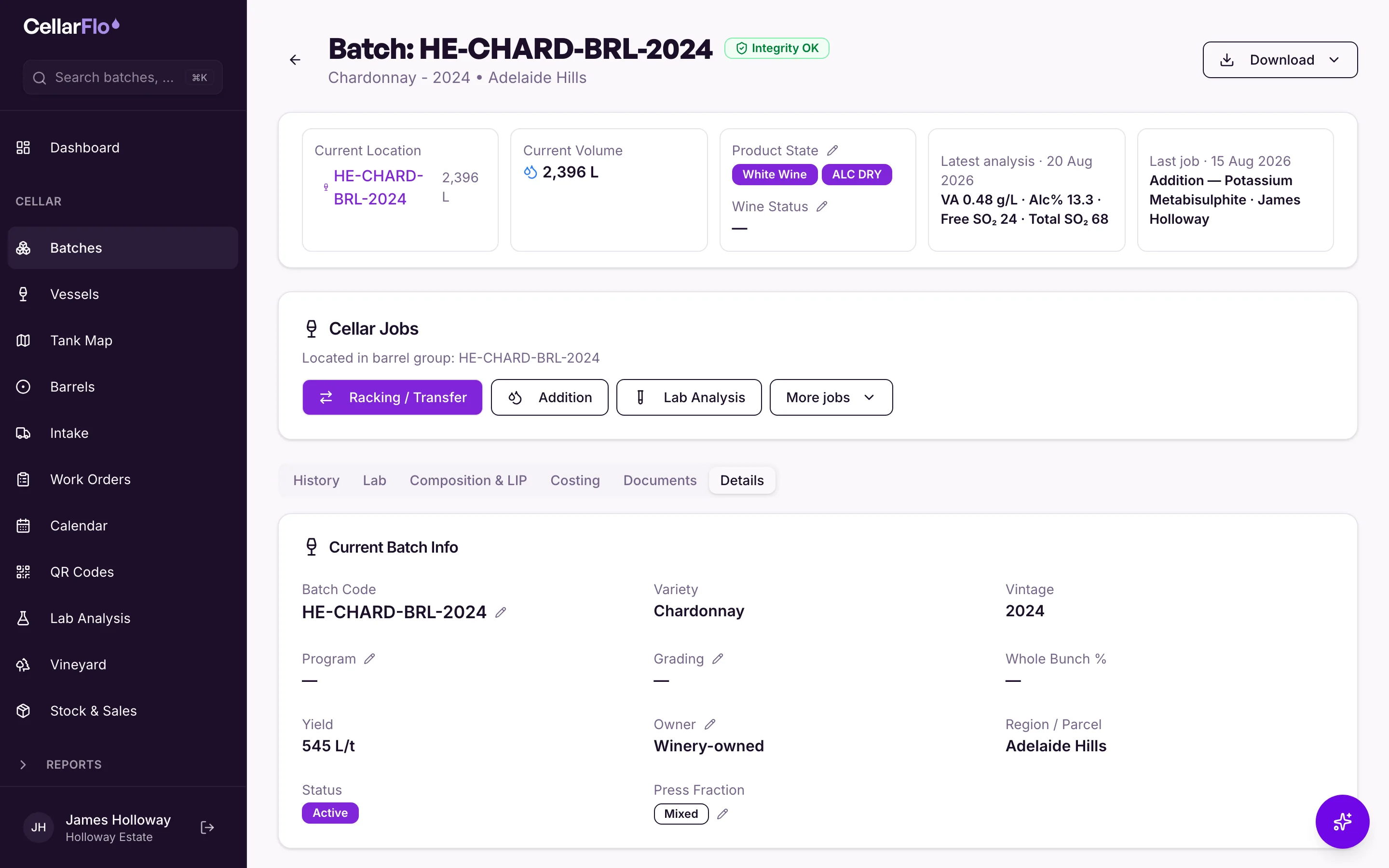
Your cellar on day one
Know your cellar at a glance.
From switch-over day your tanks and barrels show what is in them and how full they are, and each wine carries the cost it had in your old records.
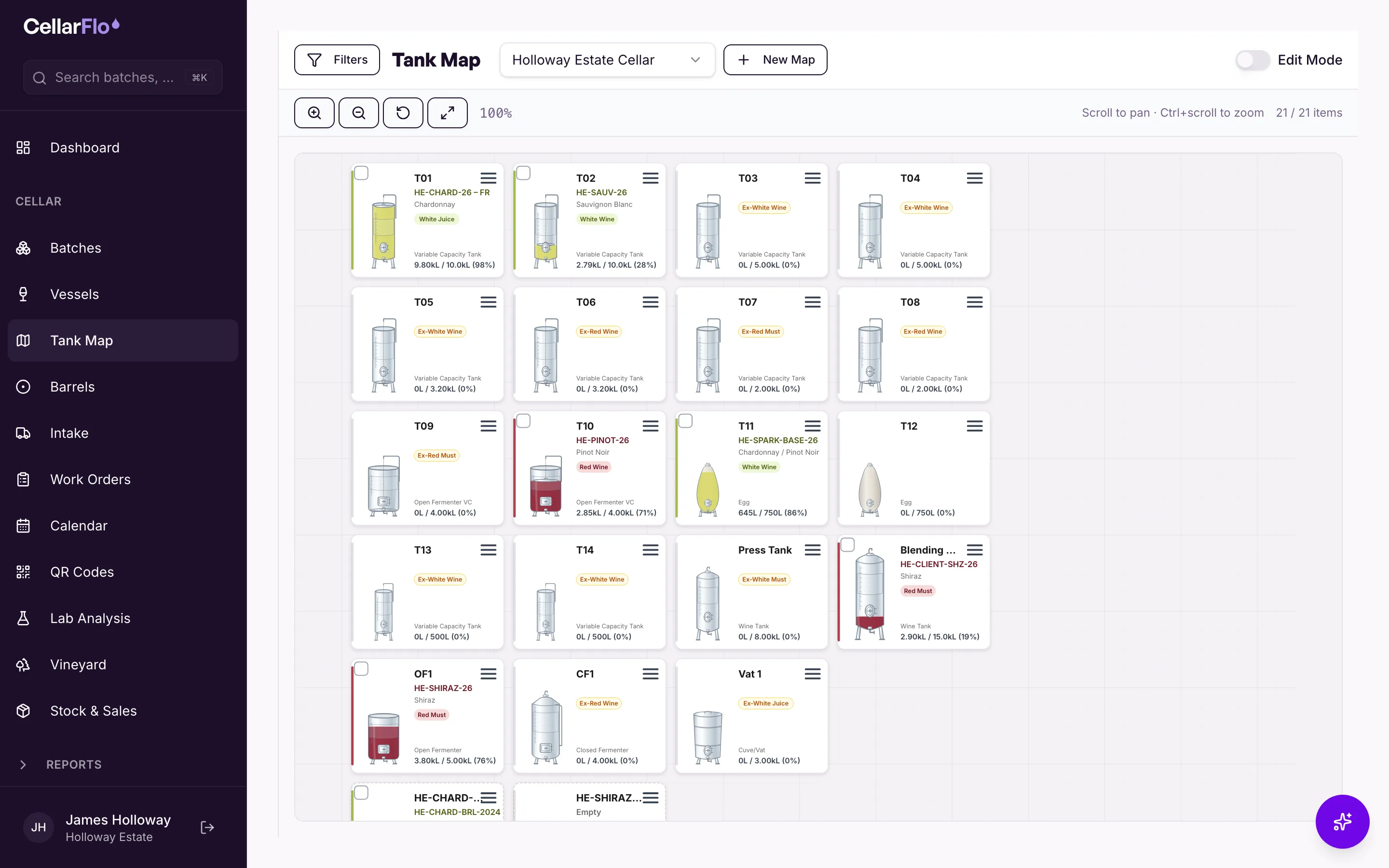
What does not come across.
A migration brings across where your winery stands on the switch-over date. It does not bring across years of past history.
- Past jobs, transfers and this vintage’s fruit dockets stay in your old records. Each wine names the records that hold its history before the switch-over.
- Old lab results can come across, each with its real analysis date.
- Bottled stock is not part of a migration yet.
- Your team’s logins, work orders and templates are set up in CellarFlo itself.
Questions
Before you switch.
What does a migration cost?
It is a fixed price, agreed with you in writing before any work starts. Talk to us and we will tell you what it covers for your winery.
Can we set ourselves up without the service?
Yes. The Onboarding guide walks you through loading your own lists and opening wine from spreadsheet templates under Settings → Import / Export.
Do we bring across our full history?
No. What comes across is your position on the switch-over date: every wine, where it is, what it is made of and what it has cost. Your past history stays in your old records, and each wine names where that history is kept.
What happens if our records are missing something?
We ask you. A missing fact is never filled in for you, and a wine waiting on an answer is held back until you give it.
Who presses Import?
You do, on switch-over day, with us alongside. That way your own name is on the opening records, and the session doubles as your training.
Can you bring across our bottled stock?
Not yet. A migration covers the wine in your tanks and barrels and your winery’s lists.
See your winery’s next chapter.
Try the demo winery first, then talk to us about bringing your own across.